Ever since being introduced to the concept of creating a secondary brain and the PARA method. I have created a database which is my ‘point of reference tool‘ for any potential ideas for my blog, newsletter or even Youtube Channel. I call this database the ‘Scavenger’s list’. It hosts a stream of articles, youtube videos, live streams notes that I’ve came across. The intention behind this method was to create a massive transitional database of ideas that I could reflect and use as a source of inspiration for my future work. To give you guys a snippet:
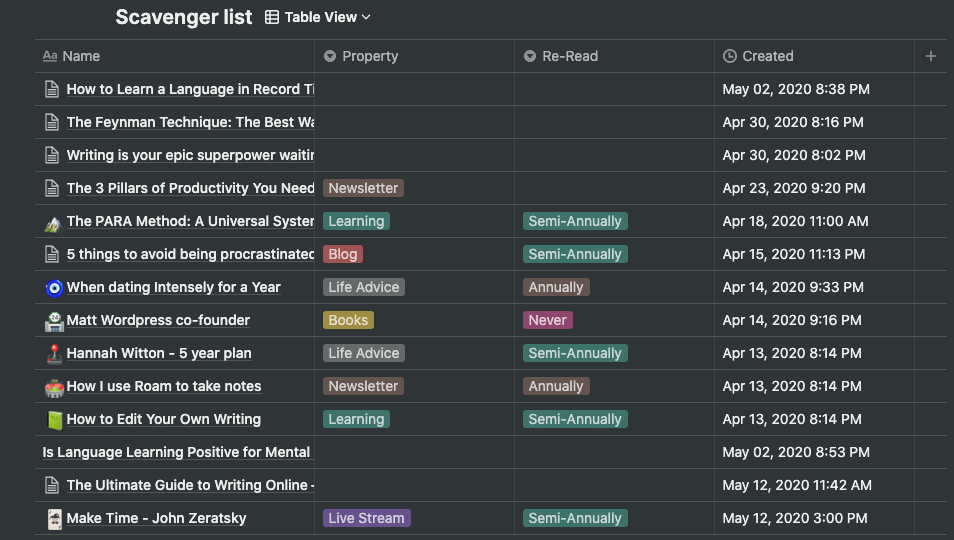
One of the tricks I’ve picked up more recently is using the Notion web clipper – it’s a Google chrome add-in extension, it allows a user to easily clip in any information they feel resonated with into their own assigned database.
The method of information hoarding can be a challenging task if done incorrectly. In past, I have tried the classic method of having multiple browser tabs opened up at any one time thinking ‘Right, this is some good stuff’. This was never an efficient way to store useful information. At one point in my life, I even had a text file containing useful links to all things I resonated with. You might be thinking ‘What an amateur?’ it was such a rookie move to make because I ended up losing all that information. Nonetheless, my current method of storing information has been quite effective and it allows me to reflect more often, especially whenever I am writing a blog post or my weekly newsletter. I have implemented this by creating a ‘relation formula’ and it looks something like this:
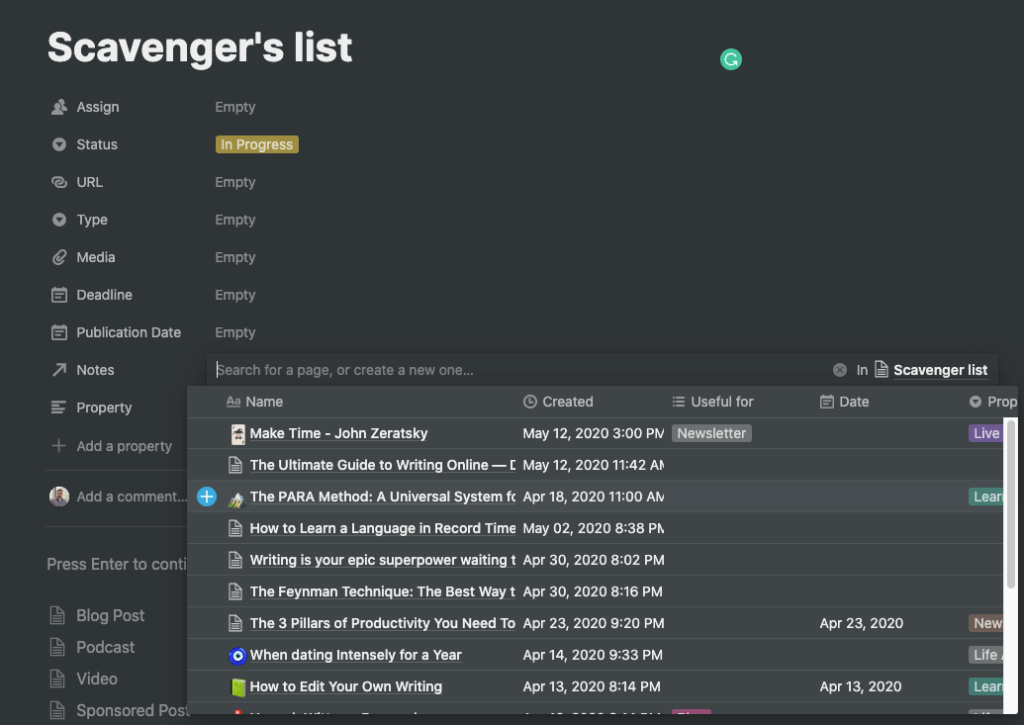
So while writing this post, the idea behind ‘Notes property’ is to provide access to my ‘Scavenger’s list’ database so, I can refer or link articles. I have realised there are limited frictions in this step-up which allows me to be a lot more productivity. Through this process, I have already been able to action new ideas into potential blog posts and newsletter. So, test it out and let me know your thoughts.
Photo by fran hogan on Unsplash
 Abhishek Nair
Leave a comment